 Extensions · Chrome & Edge · v1.0
Voice Type
Coming soon
Talk instead of type.
Dictate into almost any text box with one shortcut. Then one click turns rambling speech into clean, ready-to-send text, polished on your own device.
Free: 60 minutes of dictation a day. Pro coming soon. No account.
What it does
- Any text box
- 38 languages
- No account
- No tracking
- Chrome & Edge
One shortcut, any field
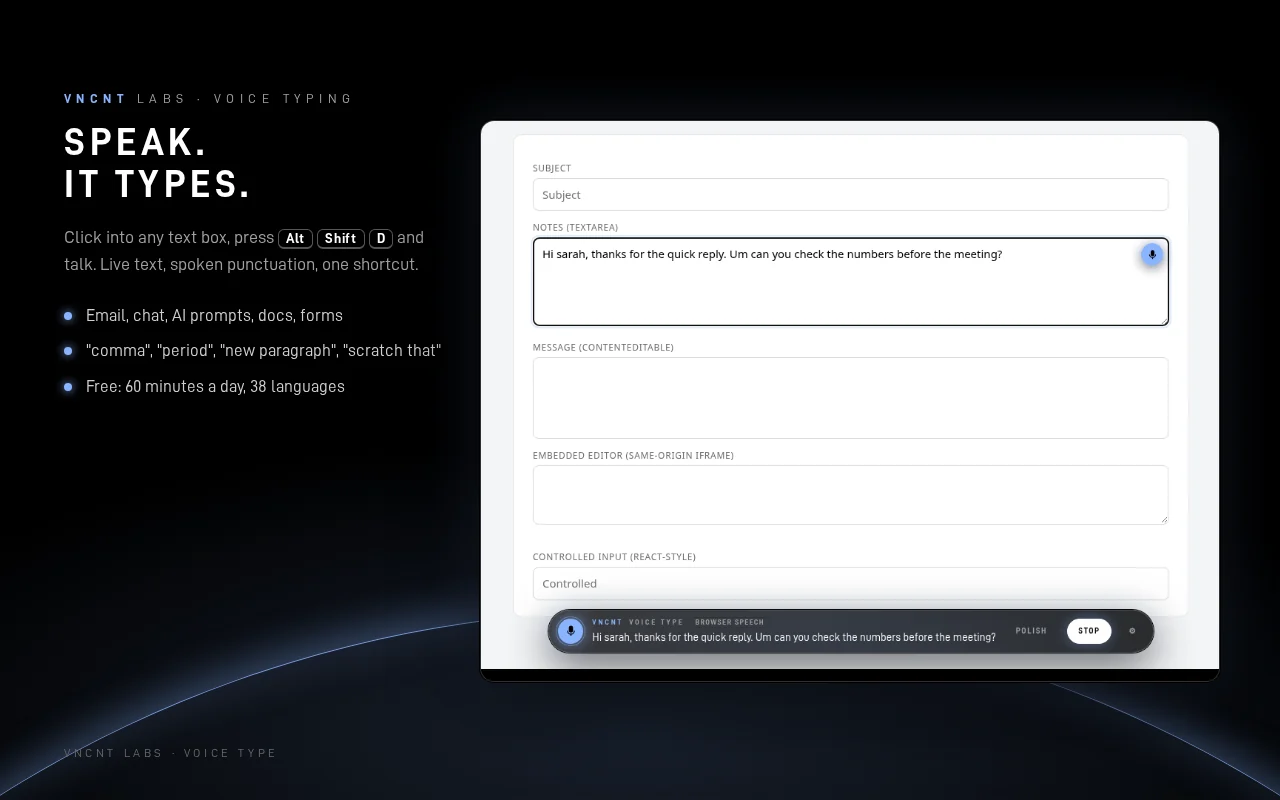
Click into a text box and press Alt+Shift+D, the toolbar icon or the small mic beside the field. Your words appear live and are typed in as you finish each phrase: email, chat, AI prompts, forms and CRMs.
Punctuation by voice
Say “comma”, “period”, “question mark” or “new paragraph”. Say “scratch that” to remove the last phrase and “stop listening” to finish.
Rambling in, ready to send
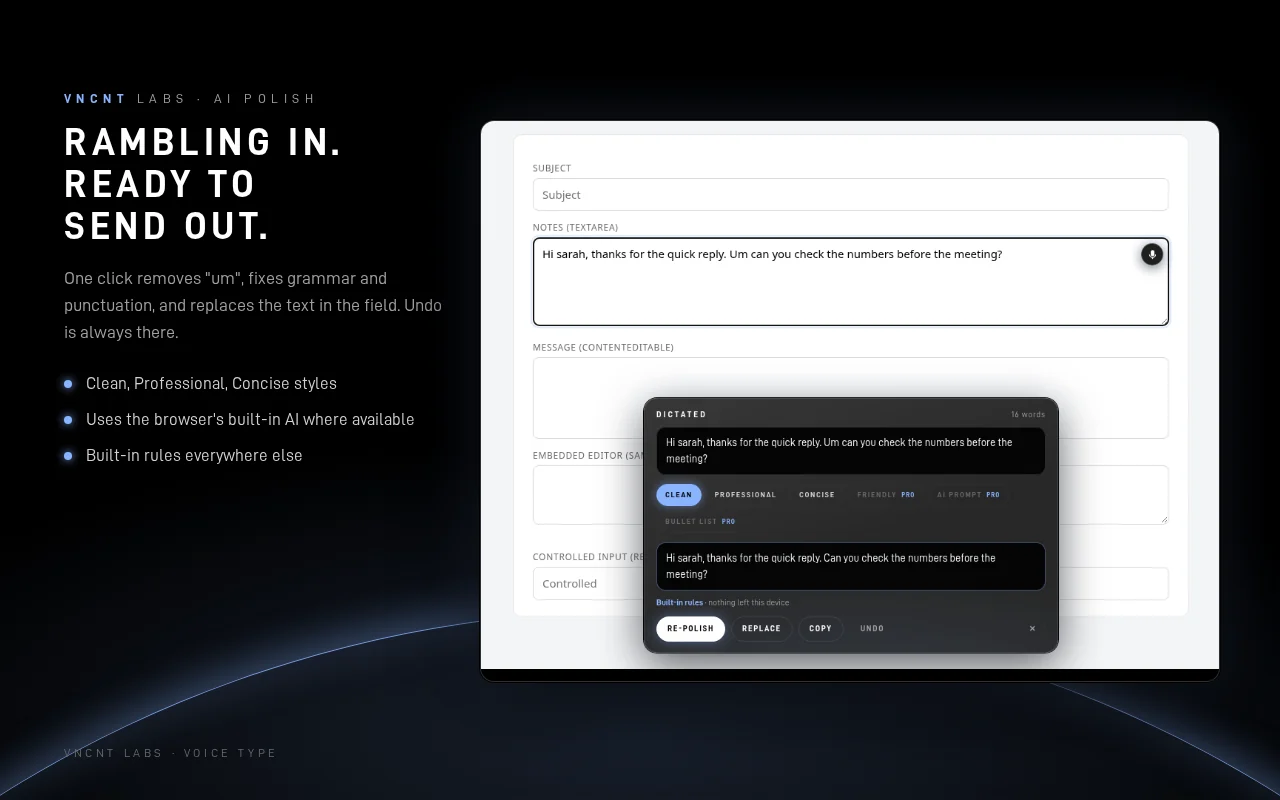
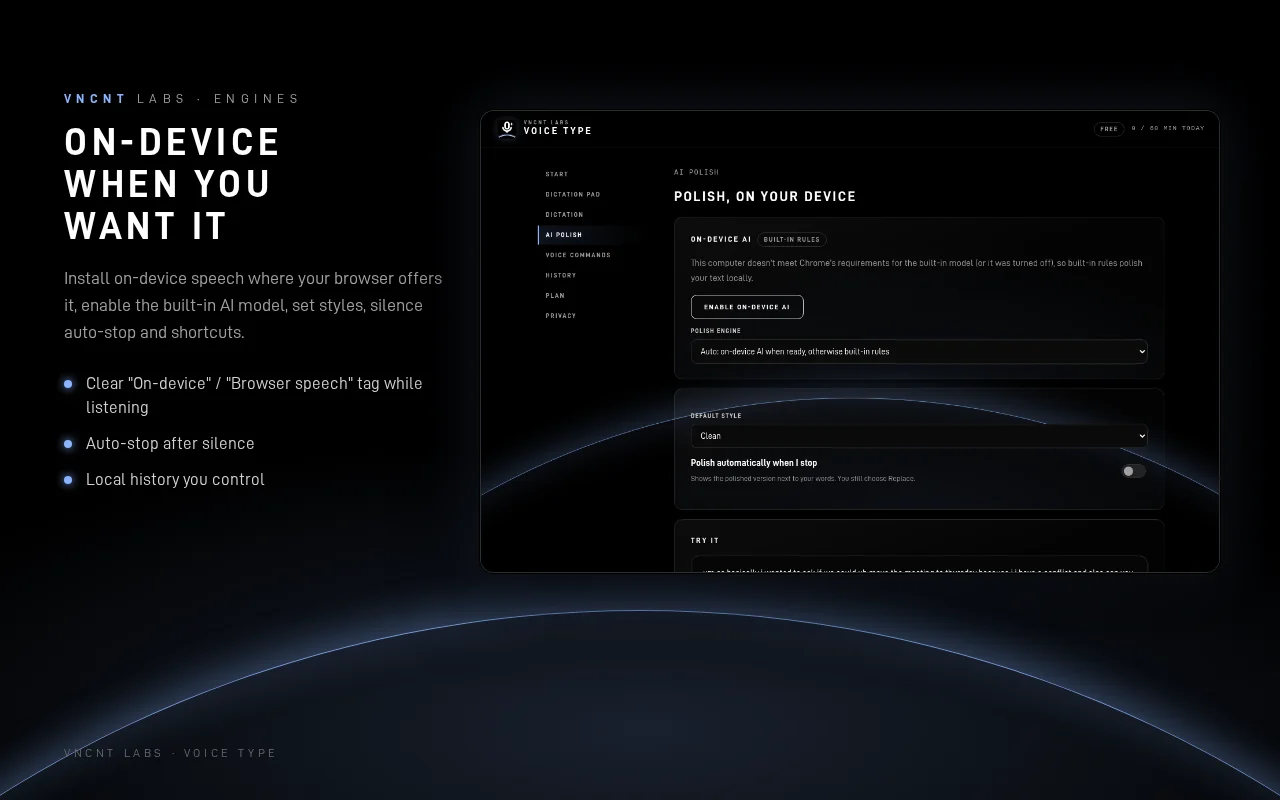
Press Polish: fillers like “um” and “you know” go, grammar and punctuation are fixed, and Replace swaps the text in one click. Clean, Professional or Concise. Undo is always there.
AI that stays on your computer
Polish uses the AI model built into your browser where it's available (Chrome with Gemini Nano on supported computers), and the extension's built-in rules everywhere else. Your text never goes to an AI service.
Even with no field
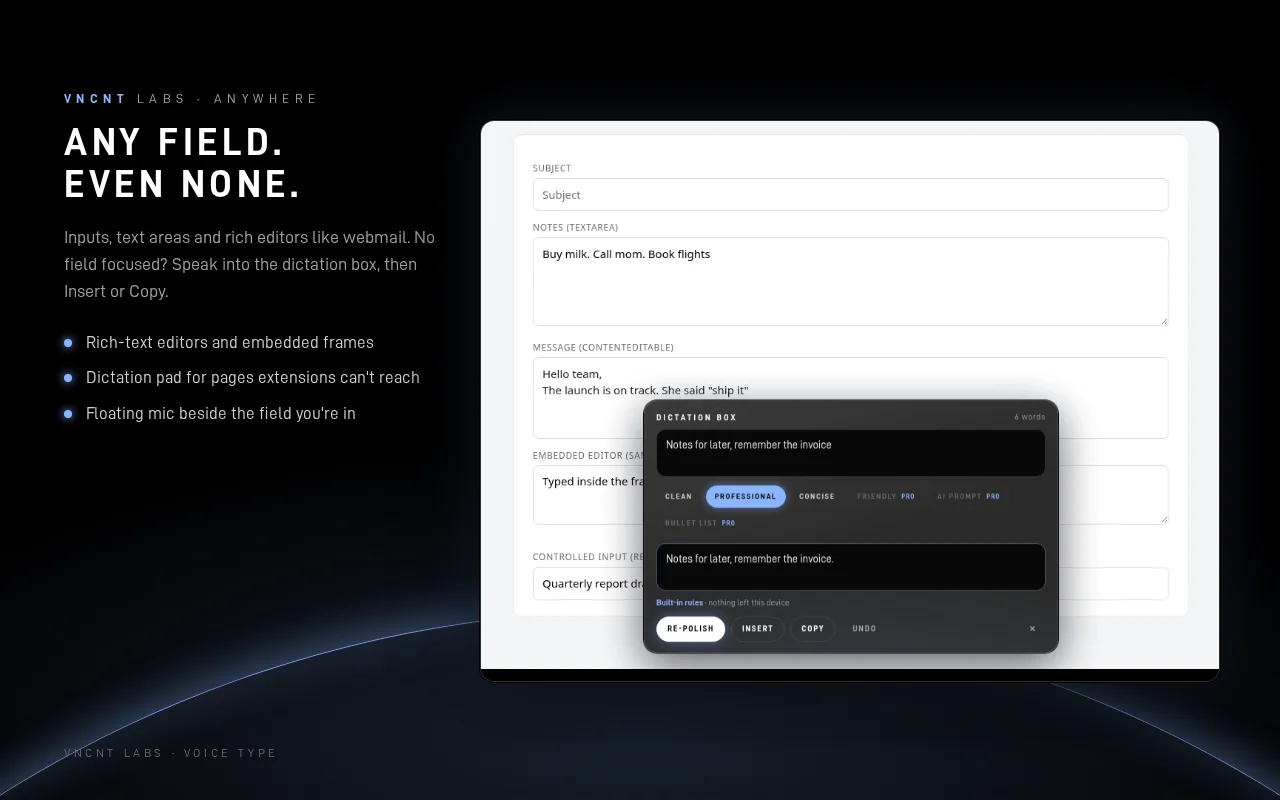
No text box focused? Speak into the dictation box, then Insert or Copy. A dictation pad covers pages where extensions can't run. Rich-text editors and embedded frames work too.
Private by design
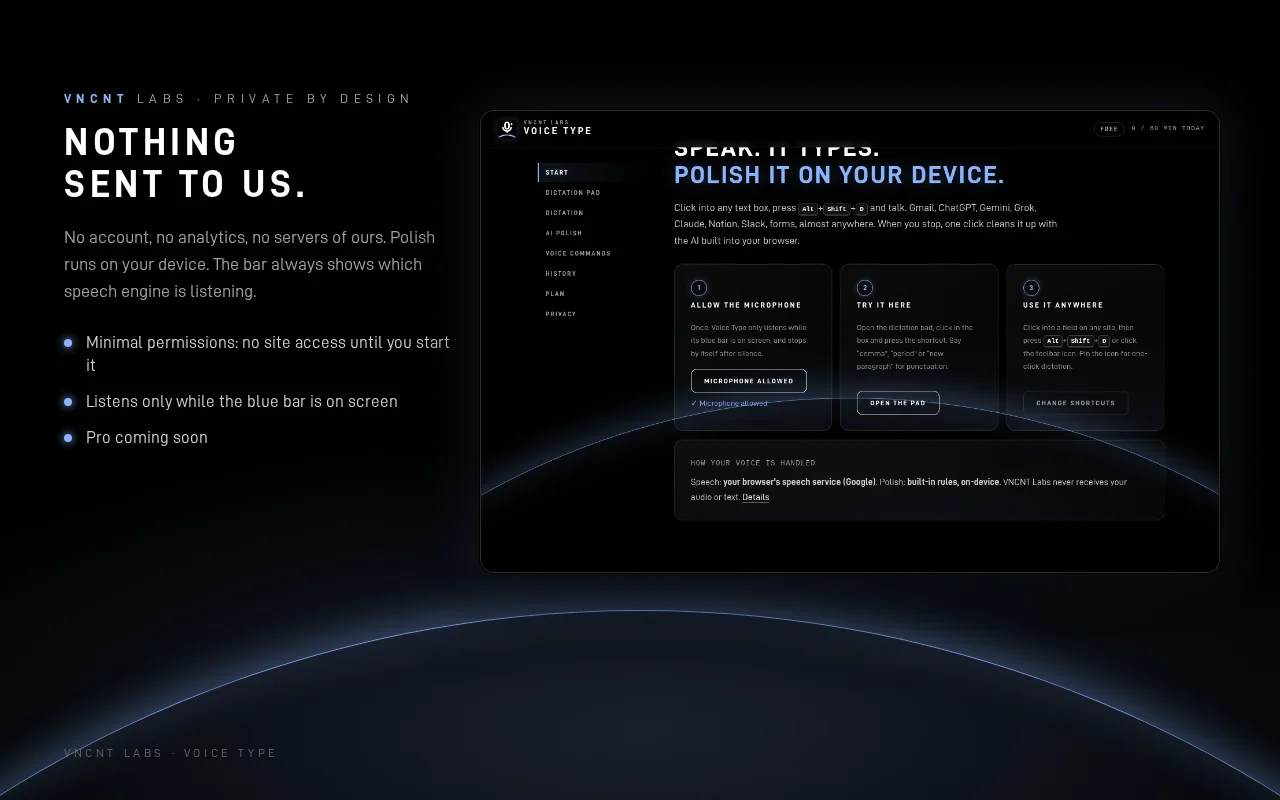
No access to any website until you start it on that tab. Listens only while the blue bar is showing. No account, no analytics, no ads, and no network requests of its own.
A look inside
Free now, Pro soon
60 minutes of dictation a day, all 38 languages, voice commands and the Clean, Professional and Concise polish styles. Optional local history. No account needed.
Unlimited dictation, all six polish styles (adds Friendly, AI prompt and Bullet list) and longer history. Pricing announced at launch.
Pro is not available yet. The first release is the free version.
Private, and honest about speech
VNCNT Labs never receives your audio or your words. Polish runs on your device, and your settings and optional history stay in your browser. One thing to know: like every browser dictation tool built on the Web Speech API, Voice Type uses your browser's own speech service to turn audio into text. In Chrome that is Google's online speech service, and in Edge it is Microsoft's. Where Chrome offers on-device speech, Voice Type uses it once the language pack is installed, and the bar always shows which engine is listening: Browser speech or On-device.
Known limits
- Google Docs support is beta. If the text doesn't appear, it stays in the dictation box for one-click copy.
- Voice commands are English. Dictation works in 38 languages.
- On-device AI polish runs where the browser offers its built-in model (Chrome on supported computers). Edge uses the built-in rules for now.
- Some pages (browser settings, extension stores, PDFs) don't allow extensions. The dictation pad covers those.
Voice Type
Support: hello@vncntlabs.com · Contact
Voice Type is an independent product of VNCNT Labs. Google, Chrome, Gemini and Google Docs are trademarks of Google LLC. Microsoft and Edge are trademarks of Microsoft Corporation. Not affiliated with or endorsed by either.