 Extensions · Chrome & Edge · v1.0
Stepline
Coming soon
Do it once. The guide writes itself.
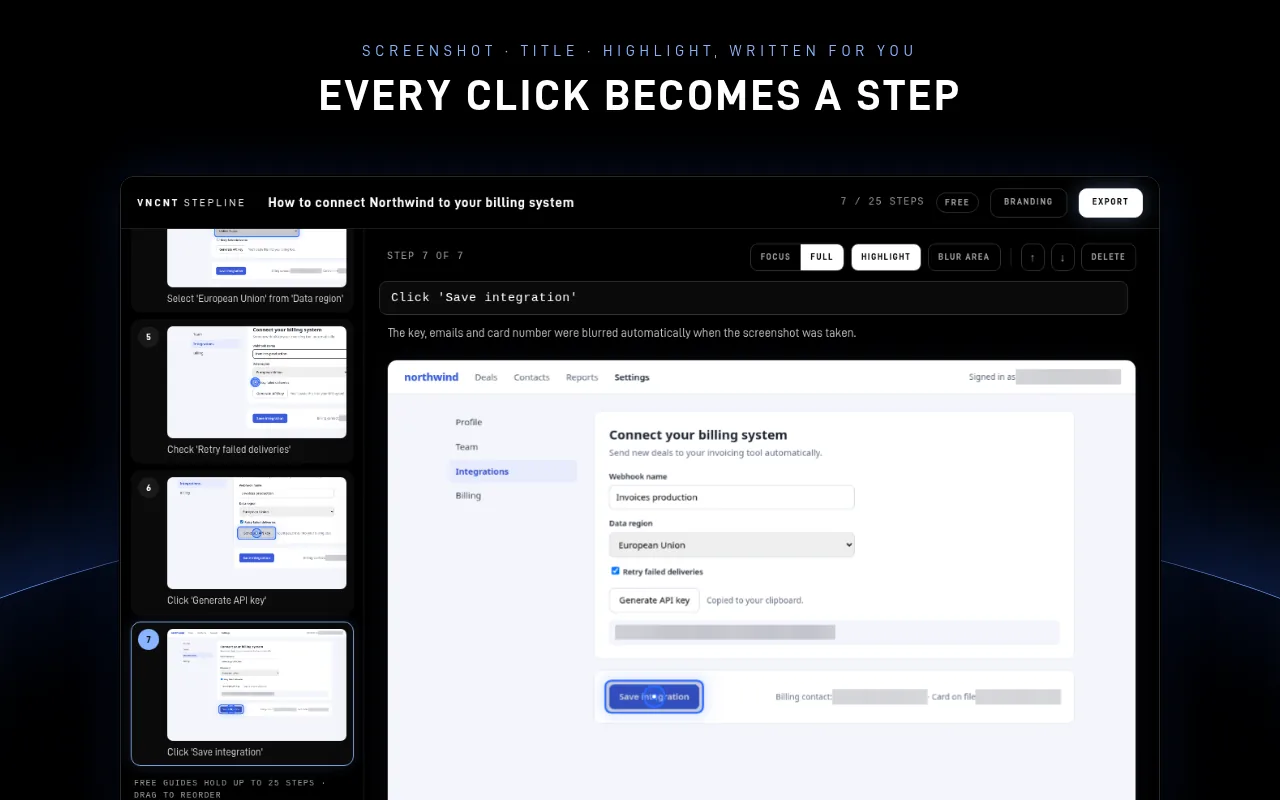
Every click and every field you fill becomes a numbered step with a highlighted screenshot and a title written from what you clicked. Edit it, then export or paste it anywhere. No account, no upload.
Free: unlimited guides, up to 25 steps each, every export. Pro coming soon. No account.
What it does
- Auto-written steps
- PDF · HTML · Markdown
- No upload
- No account
- Chrome & Edge
Do the task as usual
Click the Stepline icon and press Record, or Alt+Shift+G. The toolbar badge counts your steps. Press Finish & edit and your guide opens with every step written.
Titles written for you
“Click ‘Save changes’”, “Select ‘Canada’ from ‘Country’”. Titles come from the label you clicked, the same names screen readers use. Typing is grouped into one step per field.
See exactly where
Each screenshot is taken just before you click, with a highlight ring on the element and the rest gently dimmed. Switch between a focused crop and the full screenshot.
Secrets blurred before saving
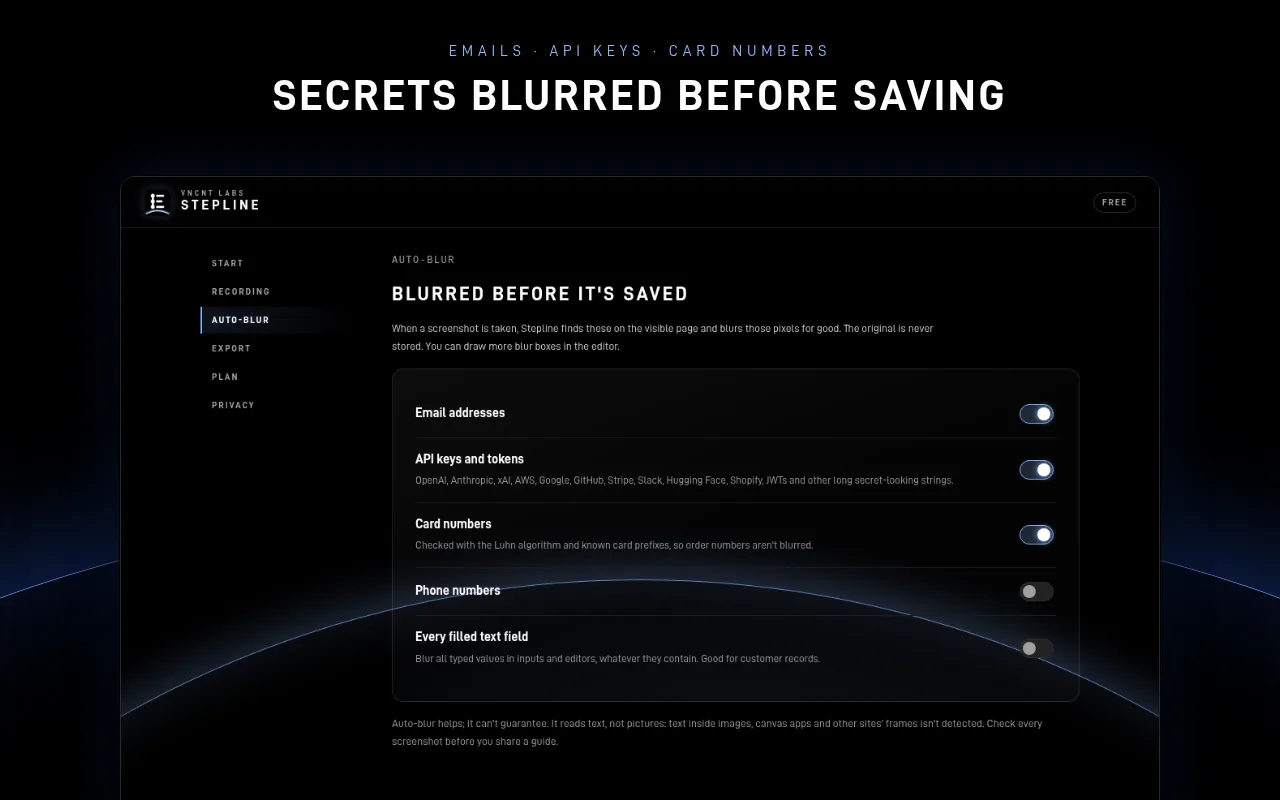
Emails, API keys and tokens and card numbers are blurred in the screenshot pixels, so the unblurred image is never stored. Passwords are never written down.
Tidy up in seconds
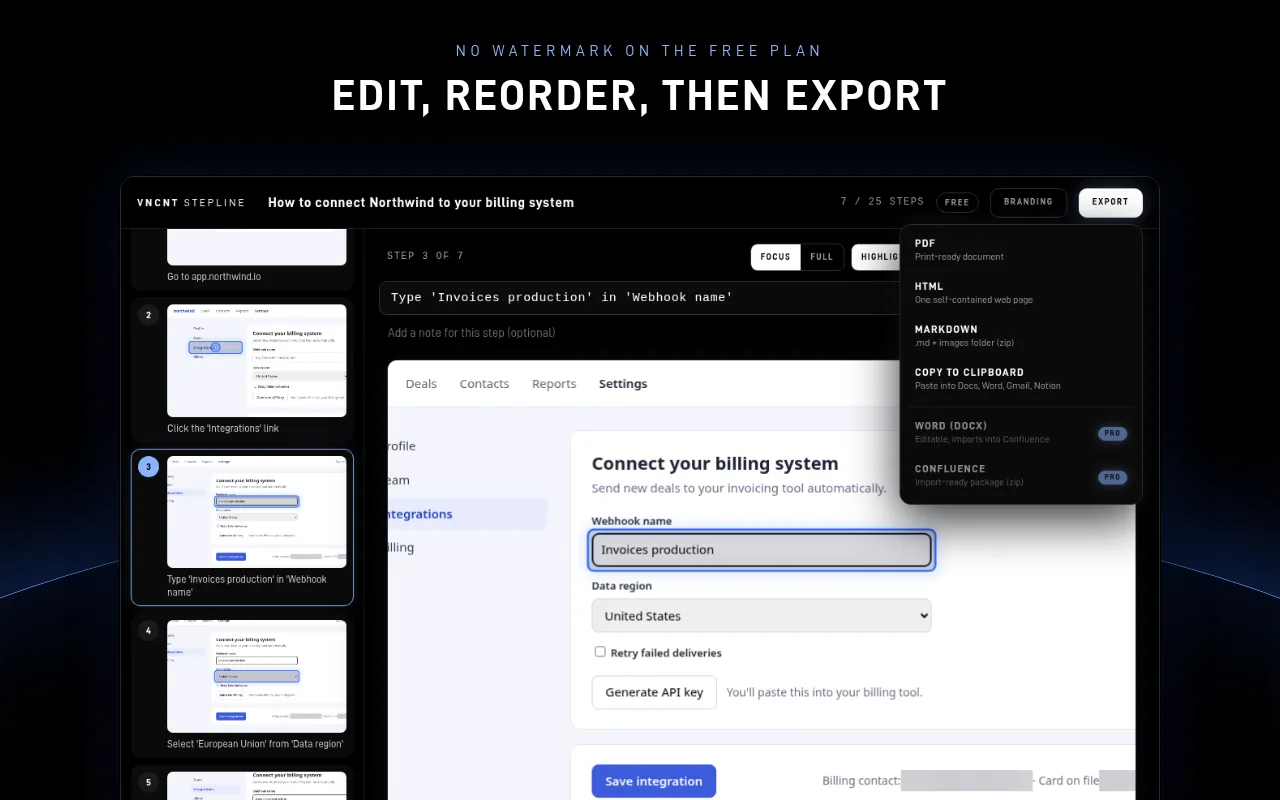
Drag to reorder, delete with Undo, rewrite titles, add notes and draw extra blur boxes on any step.
Share anywhere
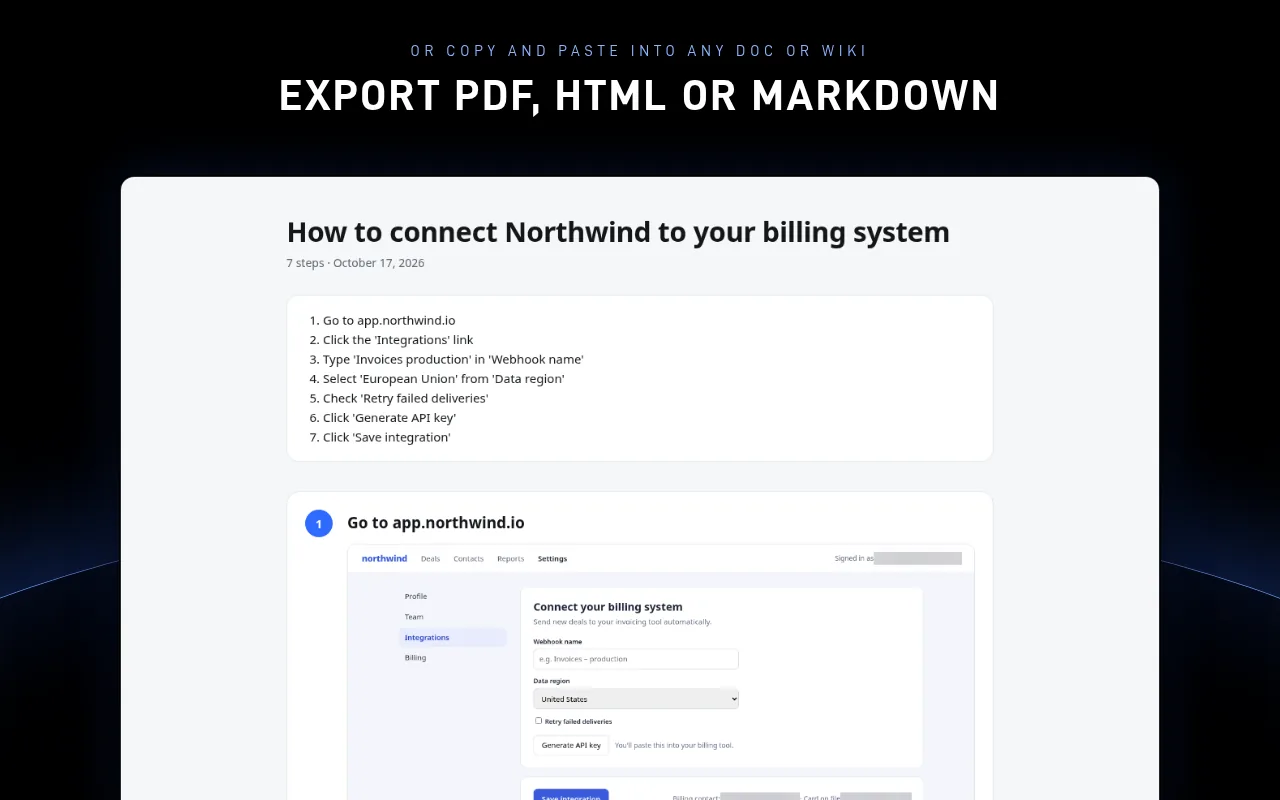
PDF (Letter or A4), one self-contained HTML page, Markdown with an images folder, or copy rich text with images into your docs and wikis.
A look inside
Free now, Pro soon
Unlimited guides, up to 25 steps per guide, all screenshots and auto-blur, and PDF, HTML, Markdown and clipboard export. No watermark.
Unlimited steps, your logo, name and colour on every export, and Word and Confluence-ready export. Pricing announced at launch.
Pro is not available yet. The first release is the free version.
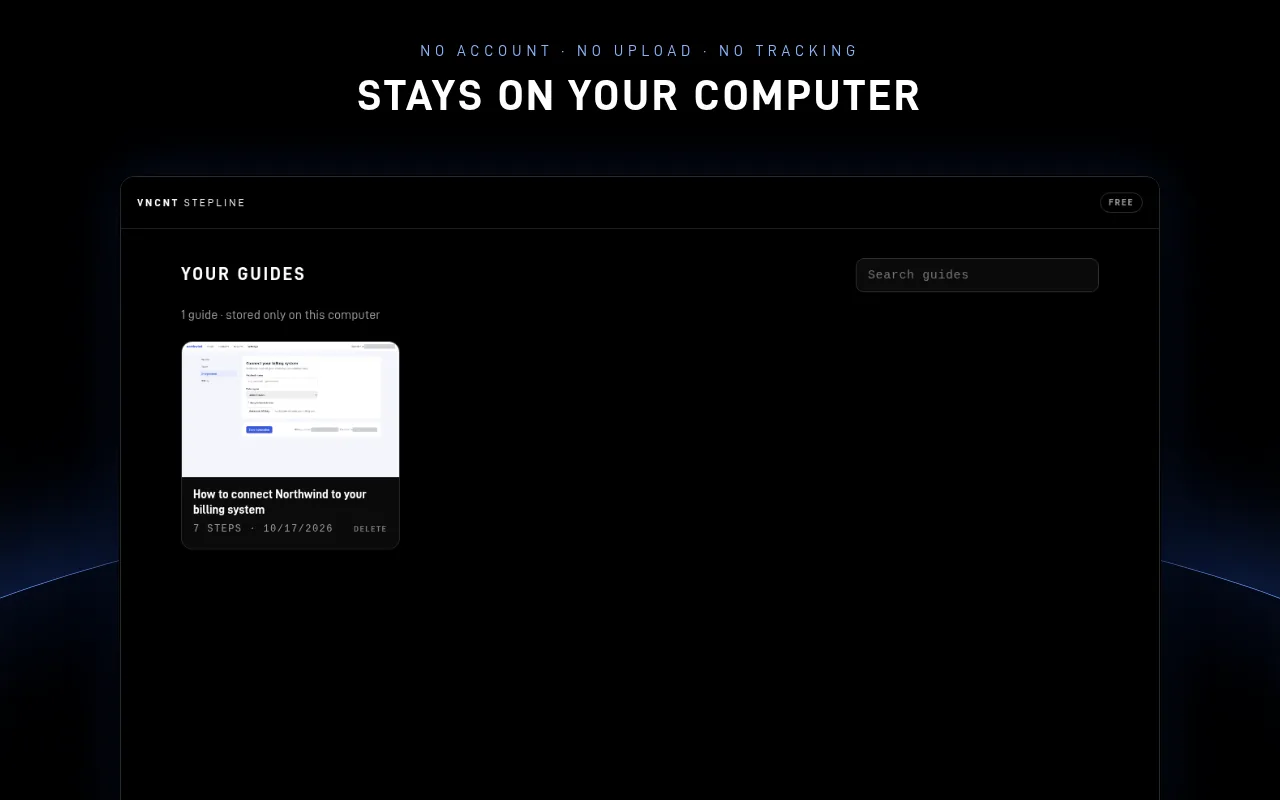
Guides stay on your computer
Stepline runs only on the tab you're recording, after you press Record. Guides live only in your browser's storage on this computer, and VNCNT Labs never receives them. The extension makes no network requests, and sensitive text is blurred in the screenshot before it is saved.
Known limits
- Records web pages in the browser, not desktop apps.
- Browser settings pages and extension stores can't be recorded; recording pauses there.
- Content inside embedded frames from other websites can be photographed, but its text isn't read for step titles or auto-blur.
- When a click opens a different website, recording pauses until you click the Stepline icon there, unless you turn on “Record across sites”.
- Auto-blur reads page text, not pictures. Always check a guide before you share it.
Stepline
Support: hello@vncntlabs.com · Contact
Stepline is an independent product of VNCNT Labs. Confluence is a trademark of Atlassian. Word is a trademark of Microsoft Corporation. Google and Chrome are trademarks of Google LLC. Microsoft and Edge are trademarks of Microsoft Corporation. Not affiliated with or endorsed by any of them.